
Does My Young Child Really Need a Smartphone or Tablet?
Real-world activity gives children time to concentrate, experiment, and discover what they can do.
Snapshot
Smartphones and tablets can be remarkable tools. They can also absorb enormous amounts of a child’s time and attention. For young children especially, the important question isn’t simply, “How much screen time is too much?” It is: What is the screen replacing? Before making a personal digital device part of your child’s everyday life, consider what children need at each stage of development, and how clear family rules can help technology become a useful tool rather than the center of childhood.
It happens everywhere. You’re waiting for dinner at a restaurant and your three-year-old is getting restless. You’re standing in line, trying to make dinner, or driving for another hour. Your child reaches for your phone, and handing it over works almost instantly. The child who was squirming, complaining, asking questions, or demanding your attention becomes very quiet, eyes fixed on the screen. For an exhausted parent, that can feel like magic.
If you have done this, you are in very good company. Using a phone this way occasionally is not likely to determine the course of a child’s life. But something important can happen gradually. Five minutes becomes twenty. An occasional solution becomes an everyday habit. Eventually the child has a tablet of their own, and a few years later comes the question of a smartphone.
So perhaps the question isn’t simply whether technology is good or bad. A better question is: when does technology serve the child, and when does the child begin serving the technology?
Start With What Young Children Need
Think about a two-, three-, or four-year-old. Their development depends upon doing things. They run, climb, dig, pour, carry, build, draw, talk, listen, sing, pretend, touch, smell, and taste. They ask approximately ten thousand questions before lunch. They are developing their bodies, language, coordination, imagination, social understanding, and intelligence through direct experience with the world.

A young child does not simply learn about a ball. The child throws it, catches it, rolls it, chases it, drops it, kicks it, and discovers what happens when it rolls downhill. That distinction matters.
Touching a Screen Isn’t the Same as Manipulating the World
Many apps are described as “interactive,” and in a sense they are. Children touch the screen, and something happens. But touching a flat piece of glass is a very limited kind of physical experience compared with what the real world offers.
Think about building a tower. The child has to judge size and balance. The blocks have weight and texture and must be positioned carefully, and the tower falls if the child gets it wrong. Now think about pouring water. The pitcher has weight, and the child’s hand must adjust as the water leaves it. Tilt too much and the water spills. Too little and nothing happens.

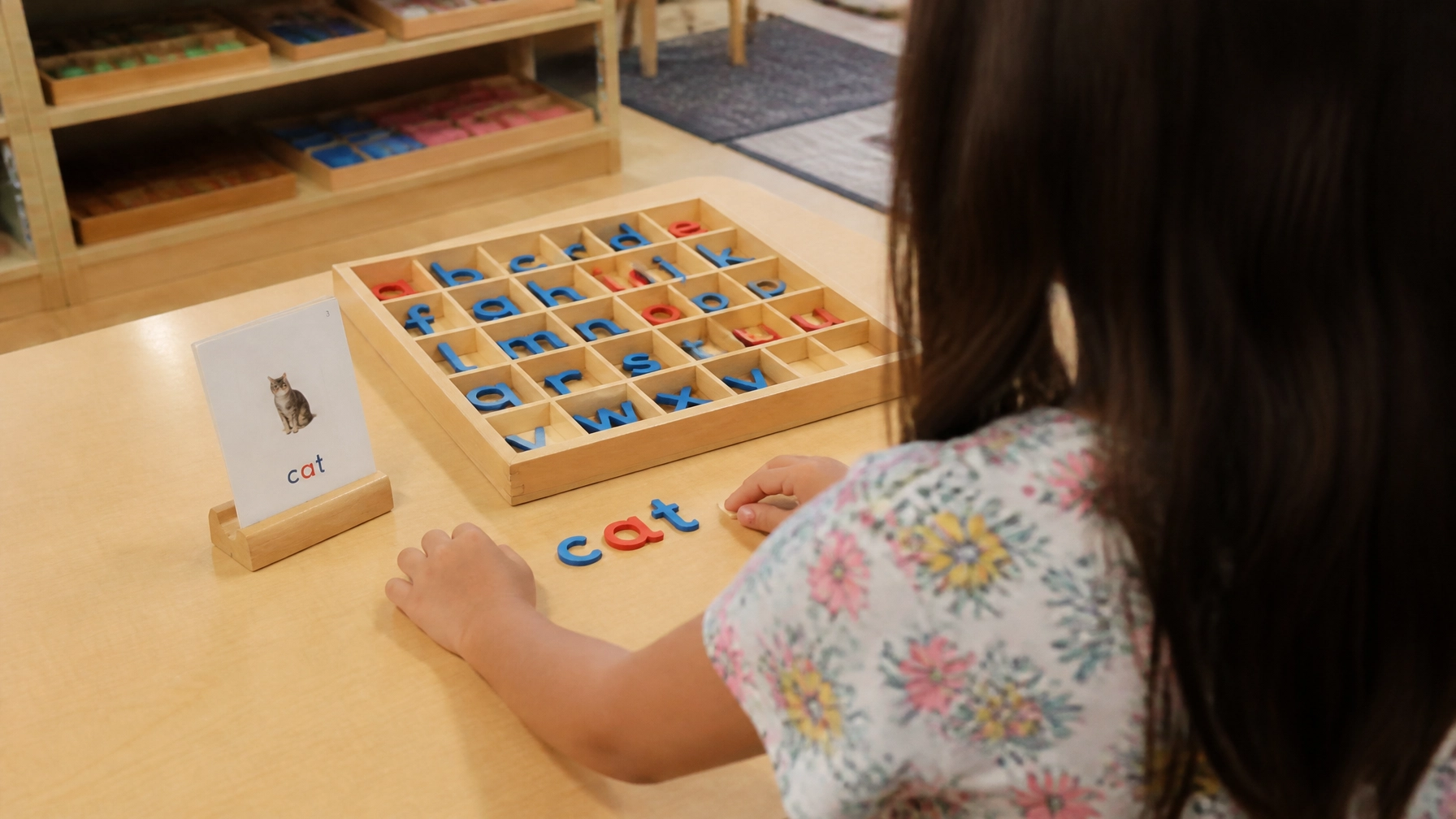
Practical, physical work invites concentration and helps children notice cause and effect.
These experiences develop coordination, judgment, concentration, and an understanding of cause and effect. No matter how beautiful the graphics are, a screen cannot reproduce the richness of actually doing something.
What Do the Experts Recommend?
Pediatric organizations have offered fairly consistent guidance for young children. These are general guidelines, not rules that every family must follow perfectly.
For babies and toddlers under about eighteen months, the American Academy of Pediatrics advises avoiding screen media other than video calls with family. For children between about eighteen and twenty-four months, if you introduce screens at all, choose high-quality programming and watch together. For ages two to five, both the American Academy of Pediatrics and the World Health Organization suggest keeping recreational screen time to about an hour a day or less, and less is better.
Those numbers are useful, but they are only part of the picture. Which brings us to the question that may matter more.
The Most Important Question May Be: What Is It Replacing?
Suppose a child spends thirty minutes with a tablet. The number thirty doesn’t tell us very much. What would the child have been doing otherwise? Running outside? Talking with you? Drawing? Building something? Looking at books? Helping make dinner? Watching ants? Arguing with a sibling and figuring out how to make peace? Being bored?
That last one may sound strange, but even boredom has value. When adults don’t immediately supply entertainment, children have to come up with something. A cardboard box becomes a spaceship. A blanket becomes a fort. Sticks become characters in an elaborate story. “I don’t know what to do” can eventually become “I have an idea.” If entertainment is always available at the touch of a screen, children have fewer reasons to make that transition.

Open-ended materials give children room to invent their own purposes and stories.
Why Is It So Hard to Get Them to Stop?
Parents sometimes describe children using screens as almost hypnotized. The child doesn’t hear you. You say the name again, and nothing. Then you turn off the device, and suddenly you have a very unhappy child.
We should be careful with the word hypnotized, because this isn’t hypnosis in the clinical sense. But the observation behind it is real: digital media can capture attention extraordinarily effectively. Games, videos, and apps can provide rapid changes, sounds, rewards, surprises, points, new levels, and an almost endless supply of something else to see.
The real world usually moves more slowly. A seed takes days to sprout. A book requires imagination. A model takes time to build. Learning to ride a bicycle involves falling down. A screen can provide stimulation immediately, and for some children, stopping something so stimulating and returning to ordinary life is genuinely difficult. That should tell us something.
“But It’s Educational”
Sometimes it is. Excellent digital resources exist, and technology can provide access to information and experiences that would otherwise be difficult to obtain. But the word “educational” on an app doesn’t automatically mean it is the best way for a young child to learn.
A three-year-old can drag pictures of apples into groups on a screen. Or that child can help you put six real apples into a bowl. She can wash them, count them, feel their weight, and notice that some are larger. With appropriate help, she can cut one open, find the seeds, taste it, and talk with you about what she discovered. Which experience is richer? For young children especially, real life is an astonishingly good educational program.
Habits That Matter as Much as Minutes
If your child does use screens, how they are used often matters as much as how long. A few habits make a real difference.
Choose slow-paced, high-quality content without ads, and avoid apps built around endless rewards and autoplay. Watch together when you can, and talk about what you see. Keep screens out of meals and out of bedrooms. Turn screens off about an hour before bedtime, since they can interfere with sleep. Try not to use a screen as the only way to calm a child who is upset, since children also need to learn to manage big feelings with your help.
Screens Can Also Change Family Life
Another issue has little to do with academics: conversation. Consider what happens in the car when there are no screens. Children look out the window and ask questions. You talk. They argue. Someone notices a horse. You tell a story. They get bored, and eventually they invent a game.
Not every car ride becomes a beautiful family memory, and some are miserable. But conversation often grows out of unfilled space. The same is true in restaurants, waiting rooms, airports, and at home. When everyone has a personal screen, those empty spaces disappear, and so do some of the small conversations that build family relationships.

Shared meals create ordinary opportunities for conversation, attention, and connection.
Children Watch What We Do
It is hard to ask a child to put down a device while we scroll through our own. Young children learn mostly by watching the people they love. If they see adults reaching for a phone at every pause, that is what they learn to do. You don’t have to be perfect. Simple habits help: put your phone away during meals, pick one time each day when everyone is screen free, and let your child see you reading a book, cooking, or working on a project.
What Can I Do Instead?
When your child is restless in a restaurant or a waiting room, it helps to have a few simple alternatives ready. A small bag with paper, crayons, and a couple of favorite books. A pocket-sized notebook and a pencil for drawing what you see. Simple games you can play without anything, such as I Spy, twenty questions, or counting red cars. A tiny toy or a few wooden blocks kept in the car. A job to do, such as helping choose the order, carrying the napkins, or watching for the waiter.
These won’t work every time, and some days a screen will be the right choice. Having other options simply means it doesn’t have to be the only one.
A Family Screen Is Different From a Child’s Screen
This distinction is important. Using technology doesn’t require giving a young child a personal device. Your family can watch a movie together. You can look up pictures of whales after your child asks a question about them. You can video call grandparents. An older child can research a subject on a family computer. You can look at family photographs together on your phone.
In these situations, technology is serving a particular purpose. That is different from giving a child a personal device they can use whenever they are bored. The difference isn’t the machine. It is the relationship the child develops with it.
As Children Get Older, the Question Changes
Eventually, the issue becomes much more complicated. A tablet used by a preschooler to play games is one thing. An internet-connected smartphone in an older child’s hands is something else entirely.
Now the device isn’t simply entertainment. It may become the child’s social world. Friends can communicate constantly. Group conversations continue long after everyone has gone home. Photos can be shared instantly. Children can say things online that they might never say face to face. Social teasing can become cyberbullying, and unlike a difficult interaction on the playground, an online conflict can follow a child into the bedroom at night.
The Internet Wasn’t Designed as a Children’s Playground
An unrestricted connected device potentially gives a child access to an enormous adult world. That includes wonderful things: libraries, museums, music, science, art, and people and cultures from around the world. It also includes adult content, graphic violence, misinformation, scams, cruelty, and adults who may not have a child’s best interests at heart.
Filters and parental controls can help, but they are not substitutes for judgment, supervision, communication, and gradually developing maturity. A child may know how to operate a smartphone better than an adult and still be nowhere near ready to make adult judgments about everything that comes through it. Technical skill and maturity are not the same thing.
So When Should My Child Have a Smartphone?
There is no magical birthday. A twelve-year-old isn’t automatically ready because she turned twelve on Tuesday, and two children of the same age may have very different levels of judgment and self-control. Most social media platforms set a minimum age of thirteen in their terms of service, though many children sign up earlier.
Instead of focusing on age, consider why the device is needed. You might ask yourself whether your child genuinely needs to contact you independently, whether your child is traveling to activities without you, whether a simpler phone could accomplish what is needed, whether the device can begin with calling and texting rather than unrestricted internet access, whether the phone needs to live in your child’s bedroom at night, what rules will apply to social media, who pays for it, what happens if agreements are ignored, and whether your child has demonstrated enough judgment to manage something specifically designed to compete for her attention.
If your child does need to be reachable, there are gradual steps between no phone and a full smartphone, such as a basic phone that only calls and texts, or a watch with a short list of approved contacts.
Independence Doesn’t Mean No Limits
Montessori education values independence enormously. But Montessori freedom has never meant simply giving children unrestricted access to everything. Freedom develops within appropriate limits. We prepare an environment that gives children as much independence as they can responsibly handle.
Digital life can be approached in much the same way. Access can expand as judgment grows. A younger child may use a family device with an adult. Later, a child may have limited independent access. Eventually, greater privacy and freedom become appropriate. The goal isn’t permanent parental control. The goal is helping children develop enough self-control that they increasingly don’t need ours.
Most families aren’t sure how to do this in practice, and that is completely understandable. Nobody grew up with these devices, and the technology changes faster than any of us can keep up with. The sections that follow offer a practical starting point.
Why Your Family Needs Clear Rules
Without clear rules, every request becomes a negotiation. “Just five more minutes” turns into a daily argument, and parents end up deciding on the spot when they are tired and the child is upset. Children also feel more secure when expectations are predictable. A clear, consistent rule, explained calmly, is easier on everyone than a dozen small battles.
Good rules have a few things in common. They are simple enough for a child to remember. They are explained, so the child understands the reason. They apply to the whole family where possible, including adults. They are enforced calmly and consistently. They change as the child grows.
Start With Your Family’s Values
Before you write any rules, talk with your partner or co-parent about what matters most to your family. You might ask each other what you want your children to have plenty of time for, what worries you most, which times and places should always be screen-free, and what you want your children to learn about using technology wisely.
When parents agree in advance, the rules are far easier to keep. Children quickly notice when one adult says yes and the other says no.
Set Up Your Home Before You Hand Over the Device
It is much easier to begin with good settings than to add restrictions later. Before a child uses any device, you can take these steps.
Use the built-in family controls. Apple devices have Screen Time, and Android devices can use Google Family Link. Both let you set time limits, approve apps, filter content, and manage purchases. Menus change, so look up the current instructions for your device.
Require your approval before any app is downloaded or any purchase is made.
Choose a shared place for device use, such as the kitchen or family room, especially for younger children. Problems are far less likely to grow in a room where adults come and go.
Pick a central charging spot outside the bedrooms where all devices spend the night. This protects sleep and makes the rule easy to follow, especially if the adults’ phones charge there too.

An agreed-upon charging place makes a screen-free bedtime routine easier for everyone.
Check privacy settings, and keep accounts private and limited to people your child knows in real life.
Check age ratings before you download. Independent reviewers such as Common Sense Media offer free reviews of apps, games, and shows for different ages.
Remember that filters are only one layer. No filter catches everything, and children often find ways around them. Conversation is the layer that matters most.
Rules by Age
There is no single right answer for every family, but a gradual approach works well. Here is one way to think about it.
Toddlers and preschoolers: no personal devices and no independent internet use. If screens are used at all, a parent chooses the content and is nearby. Screens stay away from meals and bedtime.
Early elementary, about ages five to eight: use a family device in a shared space, with an adult close by. Choose specific games or programs ahead of time instead of open browsing. Set clear time limits, and make screen time follow homework, chores, and outdoor play, not replace them. Be careful with video sites that autoplay one video after another, which are very hard for children to stop.
Upper elementary and early middle school, about ages nine to twelve: introduce more independence slowly. A child might have limited time on a family computer or tablet, or a basic phone for calling and texting. Parents approve all apps and know all passwords. Social media is not yet appropriate for most children at this age, and most platforms require users to be at least thirteen.
Teens: expand freedom as your child shows good judgment, but stay involved. Keep talking about what they see and do online, keep phones out of bedrooms at night, and keep revisiting the agreement as your teen grows. Teens need both privacy and a parent who is still paying attention.
These stages are guides, not deadlines. A child who struggles with self-control may need to stay at an earlier stage longer, and a mature child may be ready sooner.
Write a Family Technology Agreement
A short written agreement is surprisingly effective. It removes arguments about what was said, and children are far more likely to follow rules they helped create. For older children, sit down together and let them add their own ideas. Here is a sample you can adapt.
Devices stay in the family room or kitchen, and all devices charge overnight outside the bedrooms. No devices at meals, during homework unless it is needed for the assignment, or in the hour before bedtime. Screen time comes after homework, chores, and some time outdoors. We ask before downloading any app, and parents know all passwords. We are kind online, and we never say anything we wouldn’t say to someone’s face. We never share our full name, address, school, phone number, or photos with people we don’t know in real life. We never meet anyone in person that we first met online. If something online upsets, frightens, or confuses us, we tell a parent right away, and we will not lose our device for telling. Parents follow the same rules for meals and bedtime. We will review this agreement together every few months.
Notice the last two items. Rules that apply to adults as well as children feel fair, and a review date reminds everyone that the rules will grow as the child does.
Talk More Than You Monitor
Monitoring tools can help, but a child who feels comfortable talking to you is your best protection. Some things that help keep that door open.
Ask curious questions instead of suspicious ones. “What’s your favorite game right now? Can you show me?” works much better than “What are you doing on that thing?” Play the game, watch the video, or look at the app with your child at least once. Make it clear that your child will not be in trouble for telling you about something troubling, whether it is an unkind message, a frightening image, or a stranger who contacted them. This may be the single most important rule, since children who fear losing their device if they speak up will often stay silent. If your child tells you something upsetting, stay calm, thank them for telling you first, and work out the next steps together. Talk about what you have seen in the news or in your own life, such as scams and cyberbullying, so these topics feel normal to discuss.
Teach Children How to Stay Safe Online
Children need to learn a few basic habits, in language they can understand.
Personal information is private. Names, addresses, schools, phone numbers, and photos are not for sharing with strangers. Not everyone online is who they say they are, and a friendly stranger in a game or chat may not be a child. If someone asks you to keep a secret from your parents, tell a parent right away, because that is a warning sign. If something makes you feel uncomfortable, close it and tell a trusted adult, and know that you did nothing wrong. What goes online can stay online, and messages and photos can be copied and shared even if they seem to disappear. Think before you click, since pop-ups, free prizes, and links from people you don’t know can lead to scams or unsafe sites. Be kind, because online it is easy to forget that real people are on the other side.
What Happens When Rules Are Broken?
Even in the best families, children will test the rules. Plan ahead for how you will respond.
Decide on consequences ahead of time and explain them, so they never feel like punishment in anger. Choose consequences that connect to the problem, such as losing a device or an app for a short, specific period, since long or severe punishments tend to encourage sneaking. Stay calm and consistent, because children learn very quickly whether a rule is real. Separate honest mistakes from deliberate rule-breaking, and thank a child who comes to you after clicking something they shouldn’t have instead of punishing them. Use mistakes as chances to talk about what went wrong and what to do differently next time.

Review the Rules Every Few Months
Children change quickly, and so does technology. Every few months, sit down together and ask what is working, what isn’t, and whether your child has shown enough responsibility to earn more freedom. Add new rules when new apps, games, or devices appear. A child who sees that responsible behavior leads to more trust has a good reason to keep earning it.
Let Childhood Be Physical
There will be plenty of time for technology, and your child will almost certainly learn to use it. The greater danger for most families is probably not that a four-year-old will fall hopelessly behind because she didn’t have her own tablet. Childhood offers something much harder to recover later: time to climb trees, make forts, dig holes, paint, build, read, cook, ride bicycles, care for animals, grow plants, and play complicated imaginary games. Time to talk with grandparents, make friends, have disagreements, and work them out. Time to sit quietly, wonder, and occasionally have absolutely nothing to do.
These aren’t interruptions before the “real” learning begins. For children, this is the real learning.
Getting Started This Week
Notice when your child reaches for a screen most often, and plan one alternative for that moment. Talk with your partner or co-parent about the three or four things that matter most to your family. Choose one screen-free time or place for the whole family, such as dinner or the car. Set up a central charging spot outside the bedrooms, and put your own phone there too. Look up the built-in family controls on your child’s device and turn on app and purchase approvals. Sit down together and write a short family technology agreement, even if it only has three rules. Keep a small bag of drawing materials and books where you can grab it. If you are considering a phone for an older child, write down your reasons and your family rules before you buy it.

Shared, screen-free reading time helps families slow down and connect.
Technology can eventually become an extraordinary tool in your child’s life. But especially when children are young, we should not rush to put the digital world between them and the real one. Before you hand over the phone, it may be worth asking one simple question: What might my child discover if I don’t?